Relationship graph
An interactive canvas of how your subscriptions, contracts, transactions, vendors, payment sources, and projects connect — and how to read, build, and confirm those links.
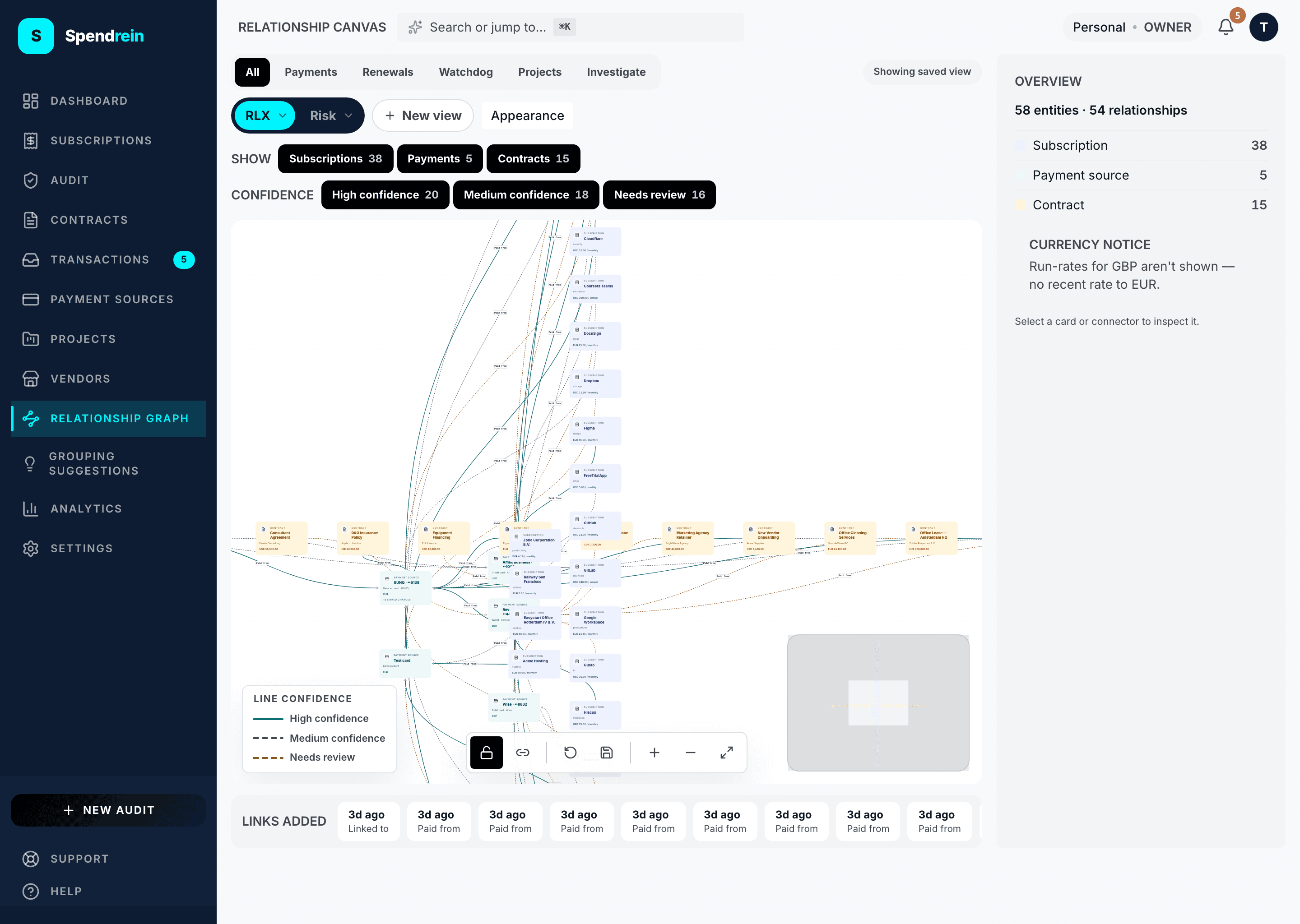
The relationship graph is an interactive canvas that maps how the pieces of your spend connect: which subscriptions are paid from which card, which charges belong to which vendor, which contracts renew under which agreement, which subscriptions are allocated to which project. Instead of reading these connections as rows in a table, you see them as a graph you can explore.
Every box on the canvas is an entity — a subscription, contract, transaction, vendor, payment source, project, or owner — and every line between two boxes is a relationship with a direction and a confidence level.
The graph shows links, not everything
An entity appears on the canvas once it's connected by at least one link. A brand-new workspace shows an empty canvas with the note: "Relationships will appear here once subscriptions, contracts, transactions, payment sources, projects, or owners are linked in this workspace."
Where links come from
Links reach the canvas from several places — you're not the only author:
- You — drawn by hand on the canvas (see below).
- Spendrein's suggestions — relationships it infers automatically and offers for you to confirm.
- Project allocations — allocating a subscription or contract to a project records an "allocated to" link.
- Statement imports — linking a charge to a payment source during import.
Links you've confirmed render as solid, high-confidence lines. Inferred links that still want a human eye render dashed, and the lowest-confidence ones render in amber — the legend in the corner spells this out as High / Medium / Needs review.
Views
A row of tabs reframes the same graph for different jobs:
| View | What it focuses on |
|---|---|
| All | The full graph — every entity and link. |
| Payments | Payment sources and what's paid from them. |
| Renewals | Subscriptions and contracts with renewal risk. |
| Watchdog | Cancelled subscriptions and their connections. |
| Projects | Projects and the subscriptions and contracts allocated to them. |
| Investigate | One entity you click, plus its immediate neighbors — a focused way to trace a single thread. |
You can also filter the visible graph by entity type and by confidence level using the chips below the toolbar.
Reading a card
Click any card to open the inspector on the right. It shows that entity's monthly run-rate (converted to your display currency where a rate is available), its next renewal, its confidence, and how many links it has in the current view. For an entity with charges behind it, an Evidence tab lists the underlying transactions.
Click a line instead and the inspector describes the relationship: what it connects, how confident it is, and how it was made — confirmed by you, suggested automatically, recorded by Spendrein, matched by a rule, or imported.
Building and editing links
Turn on connect mode and drag from one card to another to create a link. From a link's inspector you can:
- Confirm an inferred link — promoting a suggestion to a certain, high-confidence link you've vouched for.
- Change its type — e.g. from a generic "linked to" to "paid from".
- Remove it.
Changes save immediately to the workspace.
You can rearrange the canvas freely — drag cards, zoom, fit the view — and save the layout so it persists for next time. Reset layout drops your positions back to Spendrein's automatic arrangement.
Make a card your own color
You can recolor individual cards or a whole entity type. A per-card color overrides the type's color and is shared with everyone in the workspace, so the canvas reads the same for the whole team.
Who can do what
| Capability | Owner | Admin | Member | Viewer |
|---|---|---|---|---|
| View the canvas | ✓ | ✓ | ✓ | ✓ |
| Create, edit, confirm, remove links | ✓ | ✓ | ✓ | — |
| Save your own layout view | ✓ | ✓ | ✓ | — |
| Recolor cards / type styles | ✓ | ✓ | — | — |
| Manage other people's saved views | ✓ | ✓ | — | — |
Viewers can read the graph and explore it; building and confirming links is for Members and above.
Projects
Cost buckets that roll up spend across subscriptions, contracts, transactions, and vendors — so you can see what a client, product line, or initiative actually costs.
Cancellations
How Spendrein tracks a cancellation — the public reference, the contract email drafted for your own mail account, and the bank-feed watchdog. What we do, and what we don't.