Getting started
Create an account, run your first audit, and understand what the free plan shows versus what upgrading unlocks.
Spendrein audits your subscription spend and tracks contract renewals. You upload a bank or card statement, and it surfaces every recurring charge — the ones you knew about and the ones you forgot — ranks them, and tells you which to keep, review, downgrade, consolidate, or cancel.
There's no bank linking and no card required to start. You hand over one statement export; Spendrein reads it and gives you a report.
Create an account
Sign up at /auth/signup. The free plan needs no payment details, so you
can run your first audit before deciding whether to pay for anything.
Every account starts with a personal workspace — the container that holds all your audits, subscriptions, contracts, and notifications. On the Business plan you can later promote it to a team workspace and invite teammates, but you don't need to think about that yet.
The first time you land on the dashboard, a short Let's get you started card walks you through uploading a statement, tracking a contract, and (on Business) inviting your team. You can dismiss it and bring it back any time — it remembers what you've finished.
Run your first audit
Open the Audit page and drop a statement export into the upload zone.
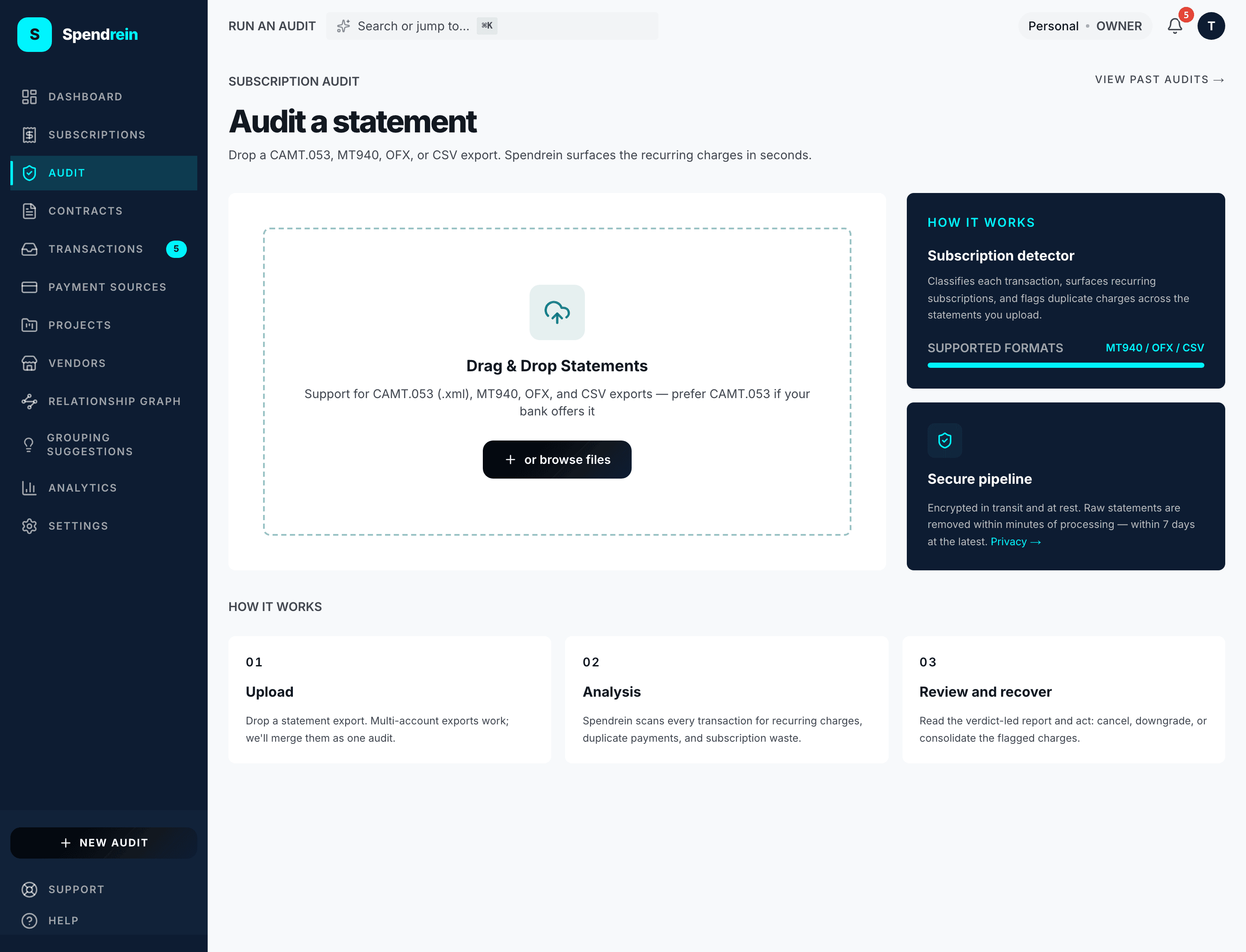
Spendrein accepts CAMT.053, MT940, OFX, and CSV exports from most banks. If you have statements from more than one account, upload them together — they're merged into a single audit.
Your statements don't stick around
Files are encrypted in transit and at rest, and the raw statement is removed within minutes of processing — within 7 days at the latest. What Spendrein keeps afterward is the structured result (the subscriptions it detected), never the original document.
What happens during a scan
Once you upload, the audit runs in the background. It:
- Reads every transaction in the statement.
- Classifies each one and isolates the charges that recur.
- Groups them into subscriptions, attaches a vendor and category, and flags duplicate charges across the files you uploaded.
- Ranks the result by monthly cost and assigns each subscription a verdict.
A scan usually finishes in well under a minute. If it's still running after five, refresh the page — the result will be there if processing finished in the background. You can also leave and come back; nothing is lost.
| Verdict | Meaning |
|---|---|
| Keep | Worth the spend — no action suggested. |
| Downgrade | A cheaper tier likely covers your usage. |
| Consolidate | Overlaps with another tool you already pay for. |
| Cancel | This one looks droppable. |
| Uncertain | Not enough signal to call it. |
What the free plan shows
Your first completed audit opens as the full report — every detected subscription, the recoverable total, the spend profile, and each verdict. This is free, on every account.
Run a second audit on the free plan and it opens as a preview
instead: your three biggest subscriptions by monthly cost, plus a blurred
+N more subscriptions found marker for the rest. The full list and the
later audits stay behind the upgrade.
The honest free-tier line
The free/paid boundary is report access, not how many times you can run a scan. First audit → full report, free. Later free audits → top-three preview. Upgrade → the full report on every audit.
Free users can still open the detected subscriptions in the subscriptions table after an audit — you're not dumped into a billing page. Some sub-views (overlap analysis, savings intelligence) carry their own upgrade prompts.
What upgrading unlocks
Paid plans — Operator and Business — turn the audit from a one-time report into ongoing monitoring. Every paid plan unlocks the full report on every audit, recurring re-scans of your statements, and email alerts when a subscription renews, changes price, or shows up as a new charge.
| Capability | Free | Operator | Business |
|---|---|---|---|
| First audit, full report | ✓ | ✓ | ✓ |
| Full report on every audit | — | ✓ | ✓ |
| Contract tracking + renewal reminders | — | ✓ | ✓ |
| Benchmark pricing on the audit page | — | ✓ | ✓ |
| Negotiation scripts | — | ✓ | ✓ |
| Renewal email alerts | — | ✓ | ✓ |
| Savings intelligence (dashboard + analytics) | — | ✓ | ✓ |
| Team workspace (invite teammates) | — | — | ✓ |
Spendrein never auto-enrolls you into a paid plan when something runs out — you stay on free until you explicitly upgrade from Settings → Billing.
What a cancellation actually does
Marking a subscription cancelled updates its status in your workspace and flags future charges from that merchant. Spendrein tracks the cancellation; it doesn't silently cancel the service on the vendor's side on your behalf.